What’s new

Changelog

Each version in short. The full notes are in the README inside the zip.

0.2.2

The magazine field now targets the magazine

  • The Magazine field on a weapon card now changes the weapon’s standard magazine: the game’s code reads the capacity from there (the in-game check is pending). Other magazines have their own Capacity rows.
  • When several weapons share a magazine, the card names every weapon that gets the change too.
  • Older mods: Studio offers once to move a change from the weapon record to the magazine. Nothing changes without your consent, and the move can be undone.
  • Honest notes on the card: on single-shot weapons, NPC damage, weapon weight with loaded rounds and small price changes.
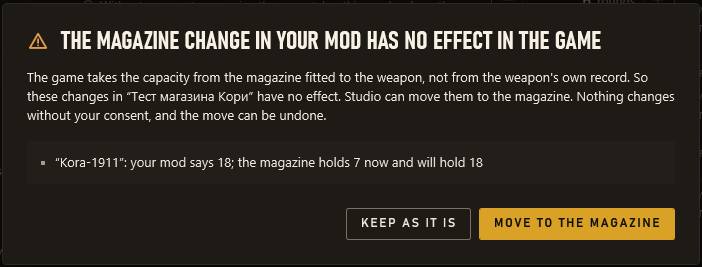
Open full size: A notice for an older mod: the magazine change in the weapon record has no effect in the game, and Studio offers to move it to the magazine or keep it as it is.
0.2.1

Safe work and sharing mods

  • Change history: Ctrl+Z and Ctrl+Y work even after a restart, and a click on a row takes the mod back to that step.
  • Checkpoints: Studio keeps the mod’s state on every install and before big actions; you can save your own.
  • Switch a change off without deleting it.
  • Share a mod as a .zmsmod file or a text code.
  • Open someone else’s mod (.pak, .zip, .cfg or a folder) as a new mod of yours.
  • In-game checks in Settings: which changes the game accepts on your version.
0.2.0

Find the number, understand it, check it in the game

  • Goal tiles on the editor home: prices, wear, mutants and more.
  • Number hints: the typical range for the class, cautions about 0 and ×10.
  • Relative input: ×1.2, /2, +10%.
  • Compare two records side by side, with “Make the same…”.
  • Search by value: weight>5, magazine=30|45.
  • “Did the game pick up the mod?” and the “Check in the game” wizard.
0.1.2

Honest hints after installing

  • An empty mod can no longer be installed, and “Saved” shows only when there is something to save.
  • A typed number is applied when you switch from Studio to the game.
  • After installing, a clear “Start the game”.
  • While the game runs, the window is not blocked: the mod installs as soon as the game closes.
  • Goal search: “weight”, “repair”, “mutants” and 20 more goals.
  • Under a changed field: how to check it in the game, and a warning when ZoneCheats may override the value.
0.1.1

A new look

  • A look in the style of the author’s posters: dark and light themes, clear titles, WCAG contrast.
  • Technical names are hidden behind a switch.
  • Copies of a record are folded in search (“+5 copies”), and notifications have an Undo button.
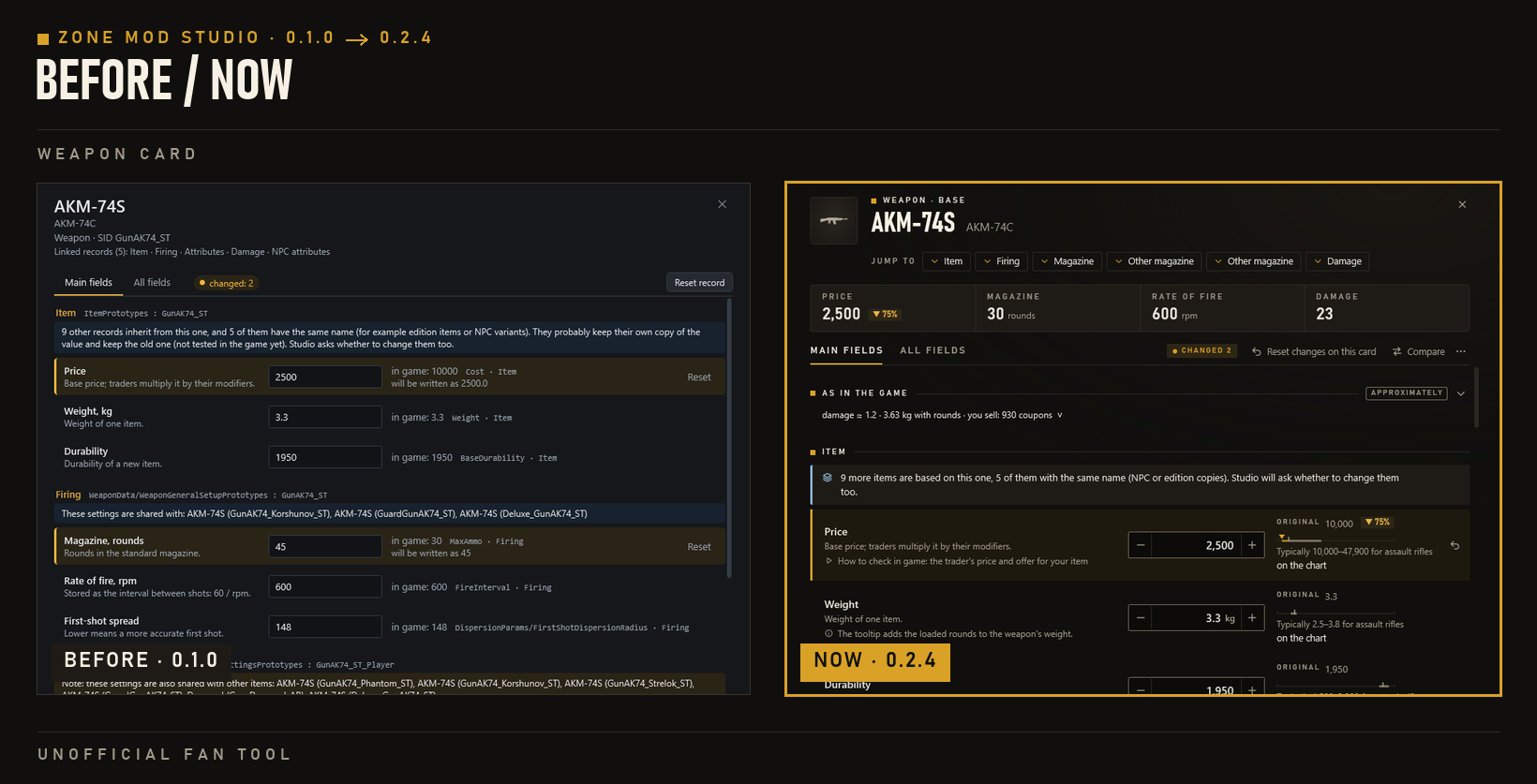
Open full size: The weapon card before and now: in 0.1.0 small text, technical names and plain input boxes; in 0.2.3 large titles, number boxes with − and +, the original value with the typical range, and gold marks on changes.
0.1.0

The first beta

  • Reading the game without the Zone Kit; cards for weapons, armour, items, NPCs and traders.
  • A mod with only the changed fields, installed with one button and backups.
  • My mods and the zms.exe command line.